
Community, Curriculum and Communication: Thoughts from a Successful Liaison Program
Speakers:
Heather Thompkins, Reference and Instruction Librarian for the Humanities, Gould Library, Carleton College
Ann Zawistoski, Reference and Instruction Librarian for the Sciences, Gould Library, Carleton College
Thursday, 1:45-3:00pm
Director of Carleton College Library was charged with making the library very visible. There is no collection development as part of the liaison program at Carleton College, but contacts are made on the model of curriculum development with additional options for teaching, and feedback on instruction. Heather and Ann handed out a sheet with the three pillars of Carleton's liaison service--
- Reference Desk
- Individual Consultants
- Classroom Instruction
- Desk
- Build and maintain breadth of knowledge
- Provide a place for immediate help
- work with students normally wouldn't see
- Provide one-on-one research
- Increase value of reference expertise
- Observe students working through research
- Develop subject expertise
- Hear faculty talk about research
- Learn about assignments
At Carleton, librarians are professional academics, not faculty; however, they participate in strong faculty development program and curricular initiatives, such as theoretical discussions on citations. The librarians also participate in curricular initiatives. The model allows Ann and Heather to establish relationship sin classes, workshops, discussions, and participate in curricular task forces.
Ann and Heather develop subject expertise, hear faculty talk about research, and learn about assignments. This then in turn works with the appointments so that Ann and Heather can reinforce conversations and interactions with professors when meeting with students one-on-one.
The reference desk is an important part of the service triangle. The liaison model is important in informing one another about other disciplines. The reference desk creates respect for other librarians and facilitates relationships with students and faculty. This relationship is evident in a movie created by the library staff at Carleton College. Ann and Heather filmed seniors giving advice to first year students about the importance and convenience of the library. This film is in conjunction with a grant used to study First Year Information Literacy in the Liberal Arts Assessment (FYILLAA). A real connection was established between students and the librarians, as students cited the librarians as the primary reason they patronize the library. There is a real level of camaraderie between the students and librarians.
Ann and Heather invite academic libraries to consider questions for consideration.
- How would you characterize your institution? Library? Community?
- What successful models of academic support exist outside the library?
- How do you see the questions you get from students and faculty changing?
- What would constitute success fro your liaison program? How would you evaluate the effectiveness of the program?
- How do you see student and faculty expectations shifting over time?
- What methods would you use to build a sustainable model or revise an existing model?
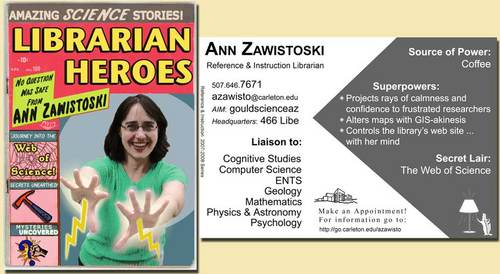
 Check out Ann's Hero card used in promoting library services. Check out Heather's Hero card. You can view other Hero cards and learn more about the liaison program from the Carleton College Library website.


